
Storage for your functions
Keep data between runs with ctx.storage: get, set, delete and list, limits per plan, the Storage page and files.
Every run starts in a fresh sandbox, so a variable does not survive until the next run. ctx.storage is where a function keeps what it needs next time: the position of the last sync, events it already handled, a snapshot to compare against, a cached answer from a slow API.
The four calls
export default async function (input, ctx) {
  const last = await ctx.storage.get("sync/orders")              // the value, or null
  // ... do the work ...
  await ctx.storage.set("sync/orders", { at: Date.now(), id: 42 }) // any JSON value
  await ctx.storage.delete("old/key")                             // true if it existed
  const { keys, cursor } = await ctx.storage.list({ prefix: "sync/", limit: 100 })
  return { last }
}| Call | Returns |
|---|---|
get(key) |
The stored value, or null |
set(key, value) |
Nothing. Overwrites. value is anything JSON can hold |
delete(key) |
true if the key existed |
list({ prefix, limit, cursor }) |
{ keys: [{ key, size, updatedAt }], cursor } - names and sizes, no values. Pass cursor back for the next page; null means done |
Keys are strings up to 256 characters; slashes are handy for grouping (dedupe/, sync/). Storage is shared by all functions of your store, so one function can write what another reads.
What it is and is not
- Not a cache: nothing expires on its own. To expire a key, store a timestamp and delete old keys, as the Skip duplicate workflow runs template does.
- Not a database: there are no transactions and no atomic counters; the last write wins. Two runs at the very same moment can both read the old value.
- About 60 to 100 ms per read or write (a miss is faster). Run independent calls in parallel with
Promise.all. - Up to 100 storage calls per run.
Limits per plan
| Plan | Total size | Keys | One value |
|---|---|---|---|
| Free | 5 MB | 500 | 64 KB |
| Grow | 250 MB | 25,000 | 256 KB |
| Unlimited | 1 GB | 100,000 | 512 KB |
A call over a limit throws an error that starts with ctx.storage:. Updating or deleting an existing key always works, so a store over its key count after a downgrade can still clean up.
The Storage page
Storage in the app shows how much you use, lets you browse keys by prefix, view a value and delete a key. Values are written only by your code, inside a run.
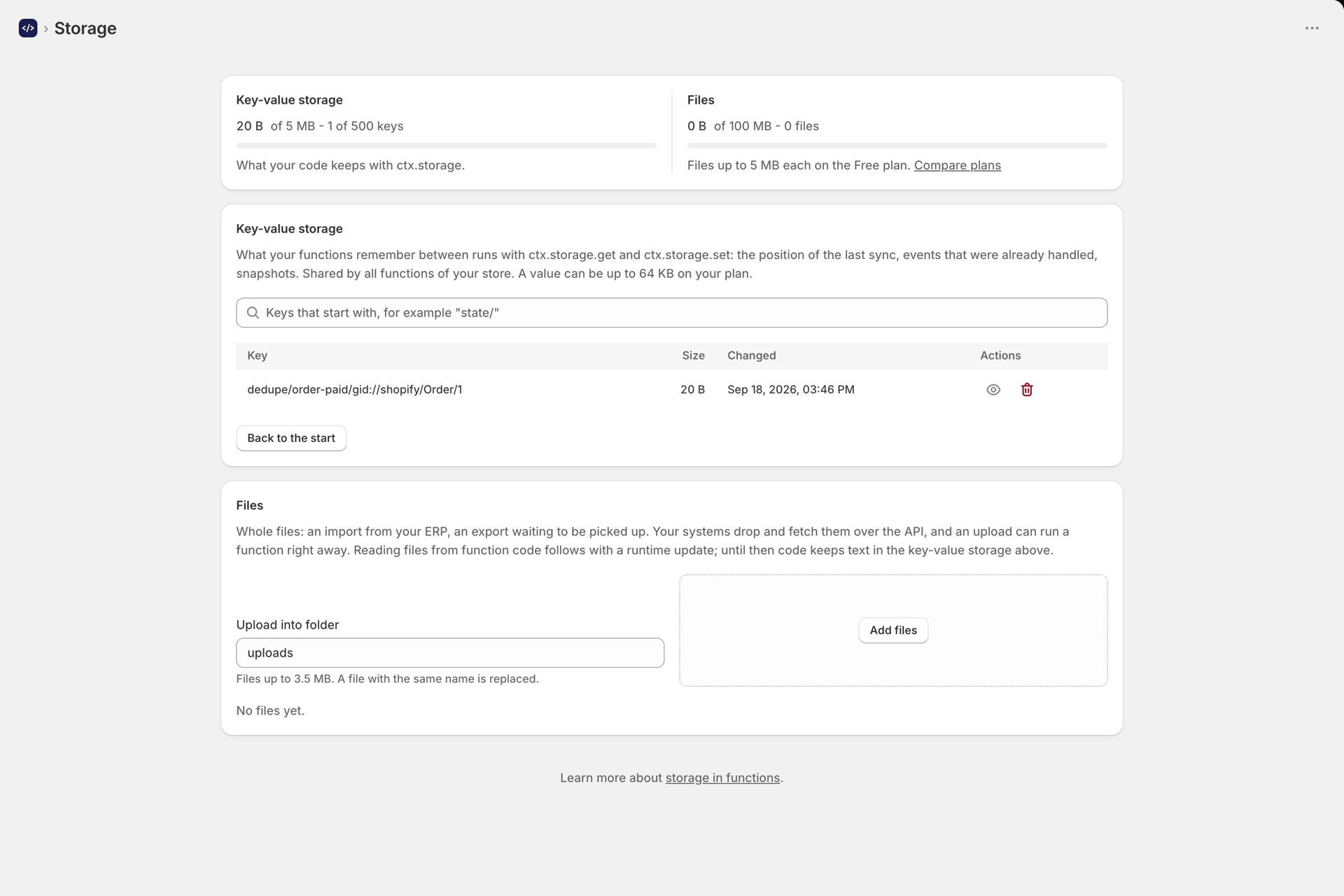
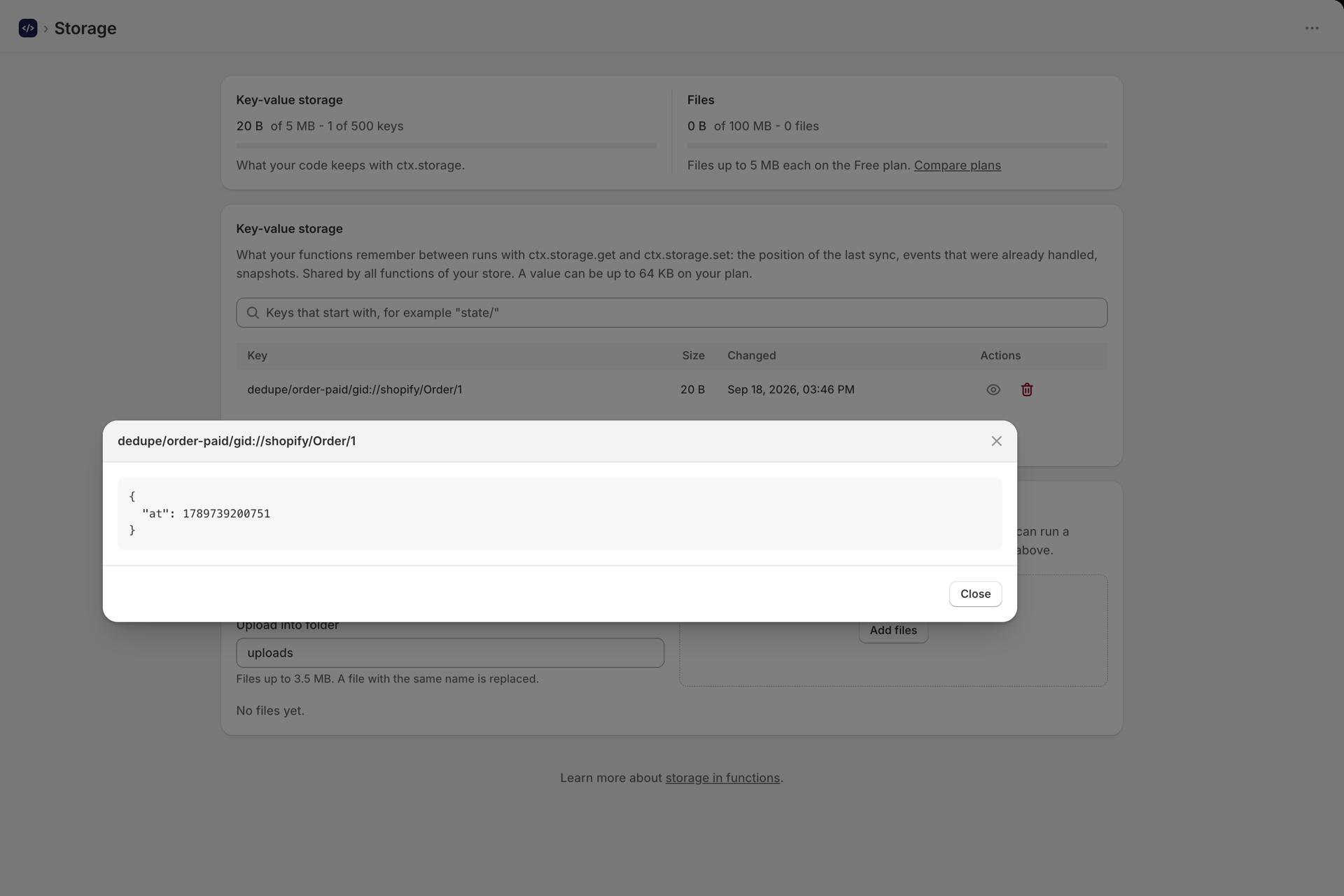
Over the API, GET /api/v1/storage returns the usage and keys, and GET or DELETE /api/v1/storage/value?key= reads or removes one value. See Developer API and MCP.
Templates that use storage
- Skip duplicate workflow runs - put it first in a workflow; it remembers an id and tells the next step whether this event was already handled.
- Limit how often something happens - at most N times per window per key.
- Remember a slow API answer - reuse an answer for a few minutes.
- Send only stock changes to your ERP and Save a daily orders report as CSV - keep a snapshot or a report for another function or your ERP to pick up.
Files
The Files section holds whole files - an import from your ERP, an export waiting to be picked up. Upload them on the Storage page or with PUT /api/v1/files/:key, and read or delete them the same way. Reading files from function code comes with a later runtime update; until then, code keeps text in ctx.storage. File storage per plan: 100 MB on Free (5 MB per file), 5 GB on Grow (25 MB per file), 50 GB on Unlimited (50 MB per file).
Your data
Values are stored encrypted in the EU (Google Cloud, Belgium) and are deleted with the rest of your data when you uninstall the app and Shopify asks us to erase it. Do not keep customers' personal data in storage unless you have your own way to delete it on request: a customer's data request cannot find it inside keys you named.
Next steps
- How to create a function - the rest of
ctx. - Run a function on a schedule - schedules that remember where they stopped.
- Connect your ERP or warehouse system - syncs that need a position.