
Creating and using secrets
Store API keys encrypted and read them in function code as secrets.NAME. How to create, rotate, delete, and how masking protects run history.
Secrets are encrypted values you store once in the app and read from your function code as secrets.NAME. Use them for API keys, tokens, passwords, and webhook signing keys, so credentials never live in your function source, in a Flow action, or in run history.
Why not just paste the key into the code?
Function code is visible to anyone with access to the app. Any staff member or collaborator who can open the app can read the full source of every function - even a function you never save as a template and never share. A secret stays out of all of that:
- Encrypted at rest with a managed encryption key.
- Never sent to your browser after it is saved, not even on the edit screen.
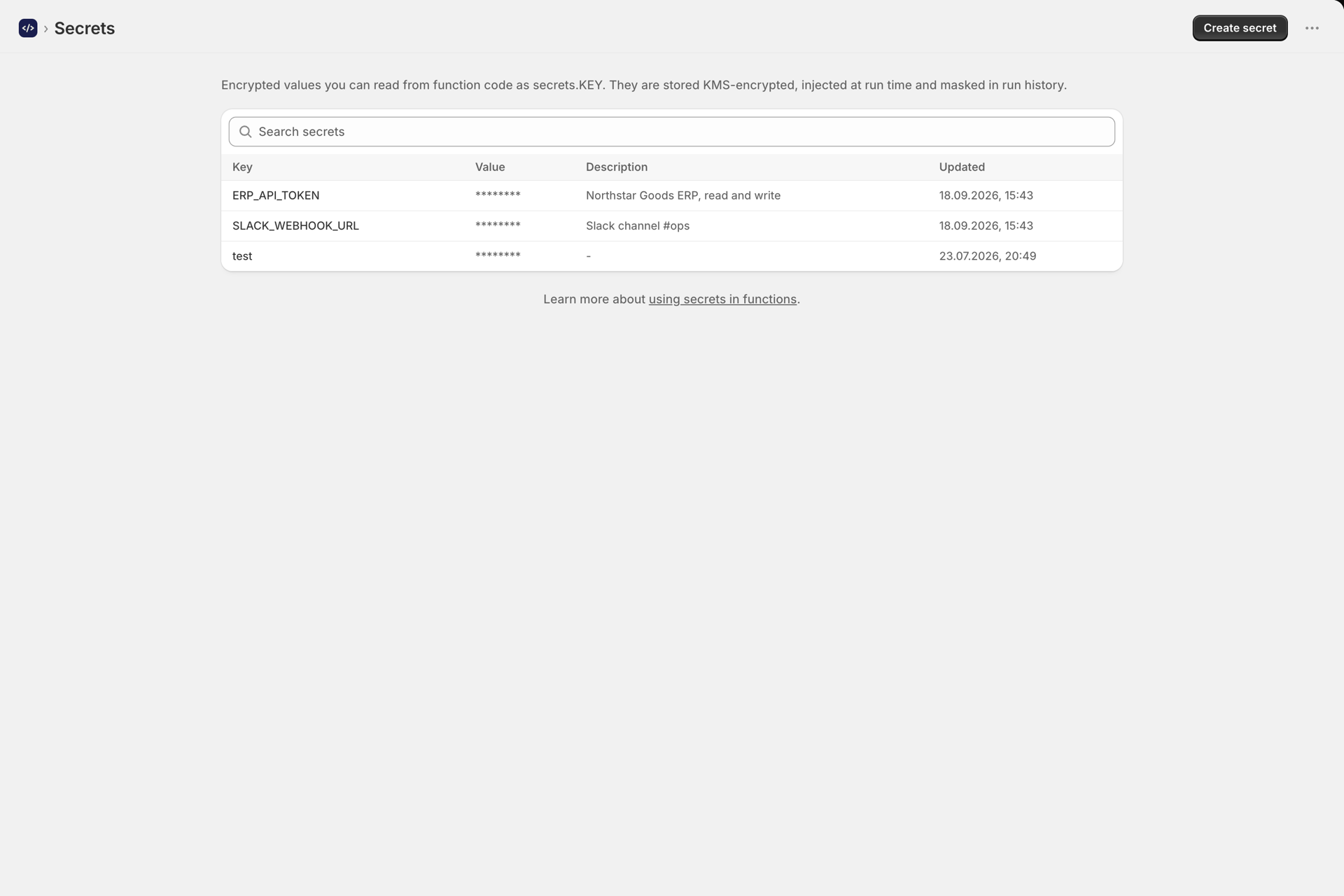
- Masked in the secrets list.
- Masked automatically in run logs, output, and error messages if a function prints it.
- Deleted permanently when your store uninstalls the app or requests data deletion.
Create a secret
- Open Secrets in the app navigation.
- Click Create secret.
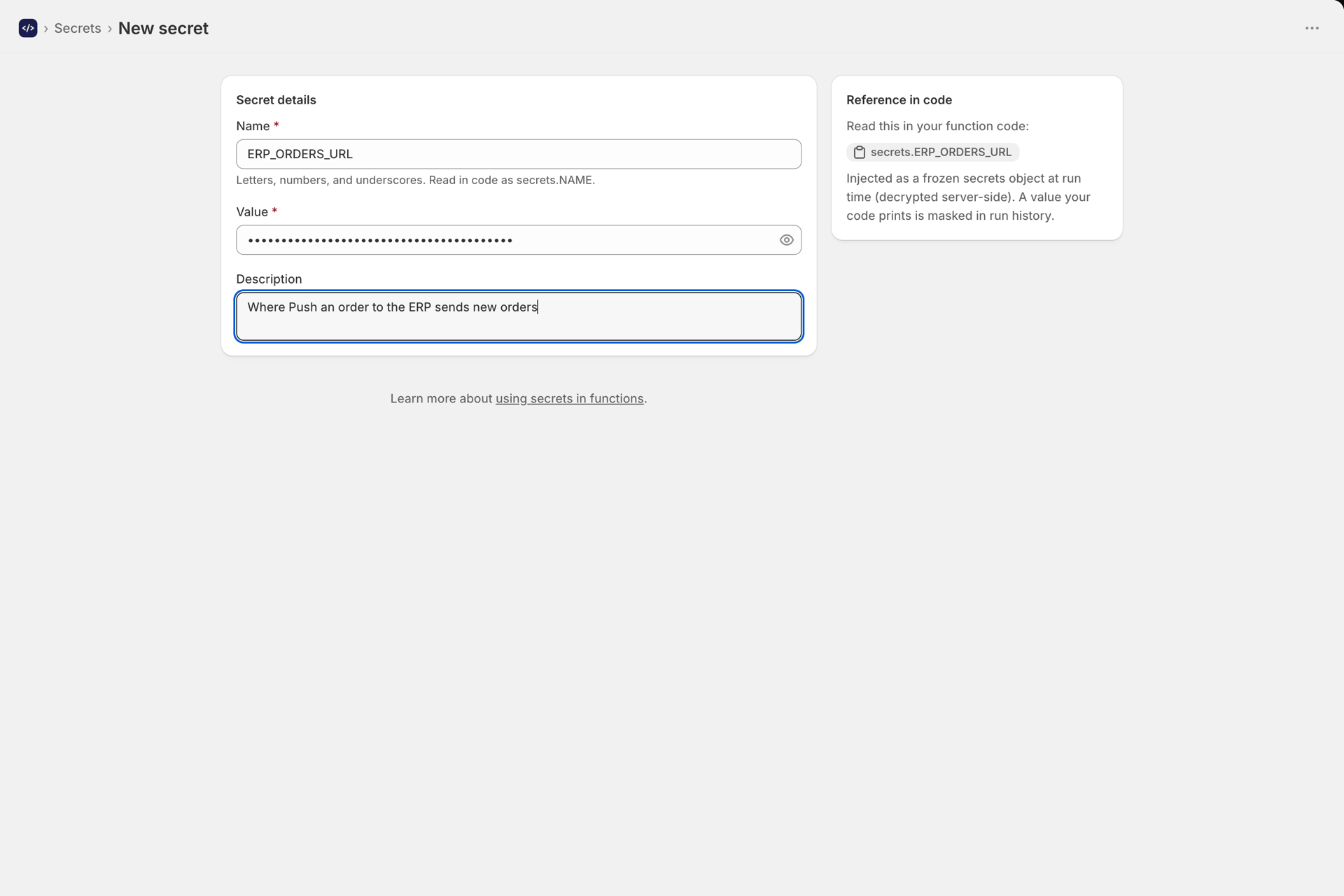
- Fill in the fields:
- Name is how you read the secret in code. Letters, numbers, and underscores only, for example
PARTNER_API_KEY. Uppercase with underscores is the usual convention. - Value is the secret itself. Required when creating.
- Description is optional and only for your own reference, for example "Production key for the shipping API".
- Name is how you read the secret in code. Letters, numbers, and underscores only, for example
- Click Save.
The editor shows you the handle to use in code, secrets.YOUR_NAME, as you type the name.
Use a secret in code
Secrets are available as a global object called secrets. There is no import and no setup:
export default async function (input, ctx) {
  const res = await ctx.fetch("https://api.example.com/v1/orders", {
    method: "POST",
    headers: {
      "content-type": "application/json",
      authorization: `Bearer ${secrets.PARTNER_API_KEY}`,
    },
    body: JSON.stringify(input),
  })

  if (!res.ok) {
    throw new Error(`Partner API returned ${res.status}`)
  }

  return await res.json()
}
Every secret in your store is available to every function. Values are decrypted server side and injected into the run right before your code executes.
A secret that does not exist reads as undefined rather than throwing, so check for it if the function cannot work without it:
if (!secrets.PARTNER_API_KEY) {
  throw new Error("PARTNER_API_KEY is not set. Add it on the Secrets page.")
}
Secrets are also available in test runs, so Run test in the editor exercises the same credentials as a real Flow run.
Editing and rotating a secret
Open the secret from the Secrets list.
- The current value is never shown. The Value field is blank every time you open it, because the plaintext is never sent to the browser.
- Leave the Value blank and save to keep the current value while changing only the description.
- Type a new value and save to replace it. Every function picks up the new value on its next run. Nothing else needs to change.
To rotate a key with your provider, generate the new key on their side, paste it here, and save. There is no deploy step.
The Name cannot be changed after creation, because your function code references it. To rename, create a secret with the new name, update the code that uses it, then delete the old one.
Deleting a secret
Open the secret and choose Delete. You are asked to confirm first.
After deletion, every function that referenced it reads undefined. If a function relies on it, that function will start failing on its next run, so update or disable those functions first. The deletion cannot be undone and the value cannot be recovered.
How masking works
If a function prints a secret value, the app replaces it with ******** before anything is stored or returned. This applies to logs, the output, and error messages, on every run path.
ctx.log("key is", secrets.PARTNER_API_KEY)
// run history shows: key is ********

return { key: secrets.PARTNER_API_KEY }
// output shows: { "key": "********" }
Two things worth understanding about this:
- It is a safety net, not a boundary. Your code has to hold the plaintext in order to use it, so a function written deliberately to leak a secret, for example by printing it one character at a time or sending it to an external URL, can still do so. Treat function code with the same care as any other code that holds credentials, and review anything you did not write yourself.
- Short values mask more than you expect. Masking applies to every secret value regardless of length, so a very short value can also mask a coincidental match elsewhere in a log line. Keeping secrets reasonably long avoids the noise.
Secrets and templates
Save as template copies your function code, not your secrets - a template that reads secrets.PARTNER_API_KEY carries the code, never your value, so anyone who uses it has to create their own secret with the same name. See Using templates.
The point holds either way: never paste a credential into function code. Function code is readable by anyone with access to the app, so a hardcoded key is exposed whether or not the function is ever saved as a template. Use a secret instead.
Naming conventions that hold up
- Uppercase with underscores:
SHIPPING_API_KEY, notshipping key. - Include the system, not the purpose:
KLAVIYO_API_KEYis clearer thanEMAIL_KEYa year later. - Separate environments if you use several:
ERP_API_KEY_LIVEandERP_API_KEY_TEST. - Use the description field for where the key came from and who to ask when it expires.
Troubleshooting
Expand a symptom to see the likely cause.
secrets.NAME reads as undefined
The name does not match. Check the exact spelling and case on the Secrets page.
Auth errors from an external API
The stored value has a stray space or newline. Re-save it, pasting carefully.
Logs show ******** where you expected data
Your log line contains a secret value, or a value short enough to match by coincidence.
A function that worked yesterday now fails on auth
The key was rotated with the provider but not updated here, or the secret was deleted.
Next steps
- How to create a function - the editor and the rest of the function settings.
- Passing variables into your function - data that comes from Flow rather than from storage.
- Run history and troubleshooting - confirm a secret-backed call worked.