
Sync your functions to GitHub
Keep your function code in a GitHub repository. Every save commits, a push back updates the function, and the editor shows full version history.
Keep your function code under version control in your own GitHub repository. It syncs both ways: saving in the app commits the file, and pushing a change back to the repo updates the function - so the editor and the repository never drift apart.
Connect a repository
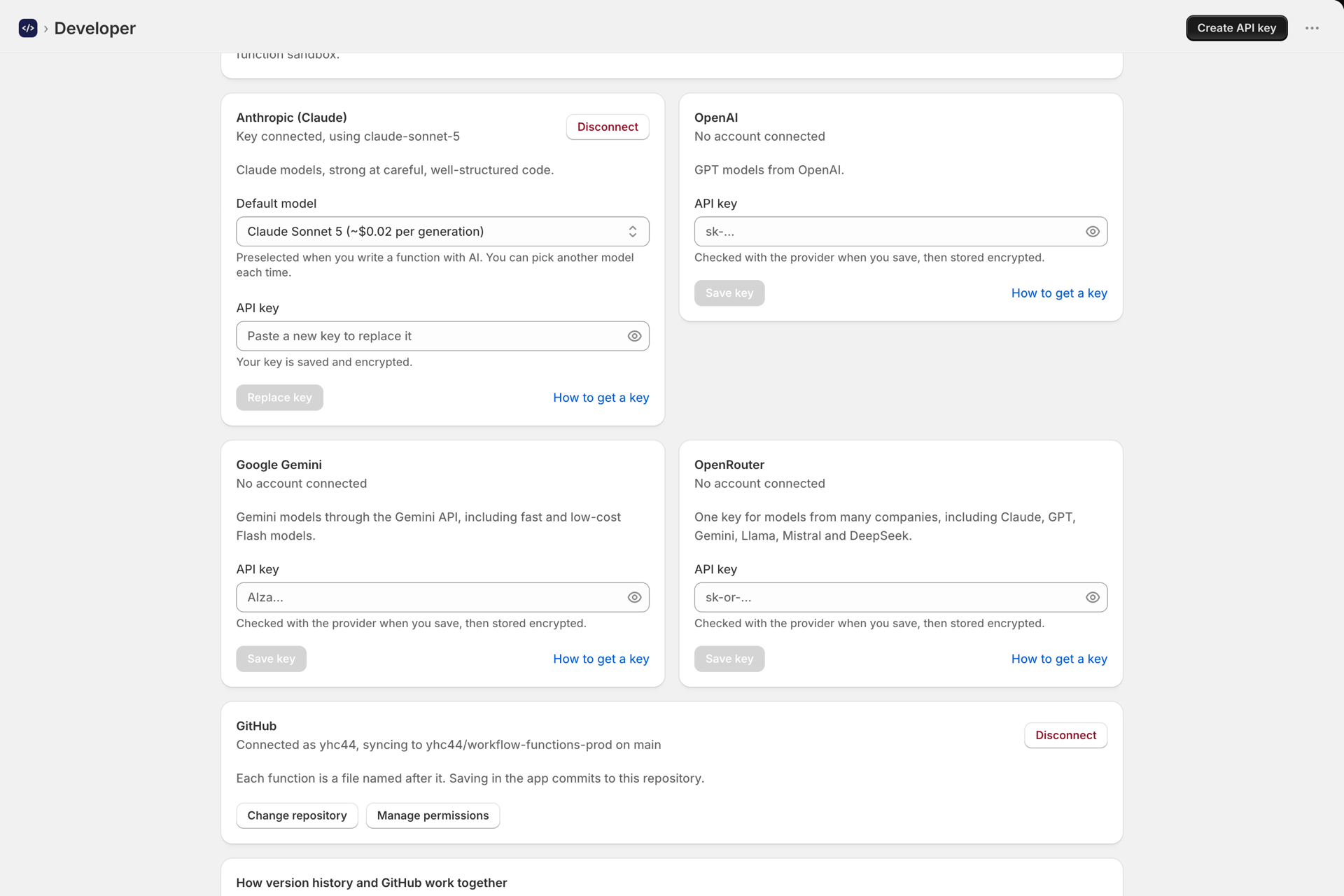
- Open Developer -> Connections and select Connect GitHub. A new tab opens (GitHub can't render inside Shopify admin).
- Install the app on your GitHub account and grant it the repository (or repositories) you want it to see.
- Back in the app, pick the repository from the dropdown and choose Use this repository. Everything you already have is pushed, so the repo starts out matching the app.
You choose which repositories the app can see, and access can be revoked from GitHub at any time.
How the sync works
- Each function is written to its own file -
functions/<name>.js(or.ts) on the branch you connected. - Saving in the app commits the file with a message like
Update <name> from Workflow Functions. Deleting a function removes its file; renaming moves it. - Pushing a change to GitHub (a commit to the connected branch) updates the function's code in the app. Editing a file that maps to an existing function updates it; a repo file never creates or deletes a function on its own.
- No echo loops: a change the app just committed is recognised and not re-applied.
Version history
Every function keeps its last 25 versions in the app, with or without GitHub. When a function is synced, Version history above the code also lists the older commits of its file. Pick a version to load it into the editor as an unsaved change - review it, then Save to bring it back (which commits a new version). "Current" restores the live code.
Change the repository
On Developer -> Connections, use Change repository to pick a different one, then Use this repository.
Disconnect
Disconnect GitHub on the Connections tab stops syncing and revokes the installation. Your functions stay in the app; the repository is left as-is.
Nothing is committing
Check that a repository is selected on the Connections tab (connecting the account is a separate step from choosing the repo), and that the app still has access under Manage permissions.
See also Developer API and MCP for managing functions over the REST API and MCP.