
Introduction to Workflow Functions
Run your own JavaScript or TypeScript for your Shopify store - from Shopify Flow, from your ERP over the API, or on a schedule.
Workflow Functions runs your own JavaScript or TypeScript for your Shopify store. A function runs three ways: as the Run Function step in Shopify Flow, when your ERP or another system calls it over the API, or on a schedule. Your code runs in a secure sandbox, can read and change store data you allow, can call other systems, and remembers data between runs.
Use it whenever Flow's built-in actions cannot do what you need: custom calculations, reshaping data, calling an external API, syncing stock and orders with an ERP, or an Admin API operation that would otherwise take a dozen Flow steps.
What you can do with it
- Run code from Shopify Flow. Anything Flow can trigger on (orders, products, customers, inventory, app triggers) can run your function, and the result goes back to Flow. See Set up the Run Function action in Shopify Flow.
- Connect your ERP or warehouse system. One HTTPS request runs a function and returns its result. 28 verified templates handle stock, prices, products, orders and shipments by SKU. See Connect your ERP or warehouse system.
- Run on a schedule. Every few minutes, hourly or daily, without a Flow trigger. See Run a function on a schedule.
- Read and change store data. Call the Shopify Admin GraphQL API for the resources you grant. See Permissions and store data access.
- Remember data between runs.
ctx.storagekeeps the last sync position, events already handled, or a snapshot to compare against. See Storage for your functions. - Use secrets safely. Store API keys once and read them in code as
secrets.NAME. They are encrypted and masked in run history. See Creating and using secrets. - Start from 85 verified templates, or let AI write a function from a description. See Using templates and Generate functions with AI.
- See every run with its input, output, logs and errors. See Run history and troubleshooting.
What your code looks like
Every function exports one default async function that receives (input, ctx):
export default async function (input, ctx) {
  ctx.log("running with", input)
  return { ok: true, received: input }
}inputis the JSON the function is called with: the Input field of the Flow action, the body of an API call, or the saved test variables for a scheduled run.ctx.log(...)writes to the run's logs.ctx.fetch(url, options)calls other systems over HTTPS.ctx.shopify.graphql(query, variables)calls the Shopify Admin API, when the function has Needs Shopify data on.ctx.storagekeeps data between runs.secrets.NAMEreads a secret you saved on the Secrets page.
Whatever you return becomes the result: the action output in Flow, or the output of an API call.
The sandbox
- A fresh sandbox for every run. Variables do not carry over; use
ctx.storagefor anything you want to keep. - No Node.js APIs. There is no
require,process, file system or rawfetch. Network access goes throughctx.fetchonly. - Limits per run. 5 seconds, 128 MB of memory and up to 20 outbound requests. Work in batches rather than one call per item.
- Your access token never reaches your code. Shopify Admin calls go through our server with a short-lived token that is valid for that one run and only for the permissions you granted.
Around the app
| Page | What it is for |
|---|---|
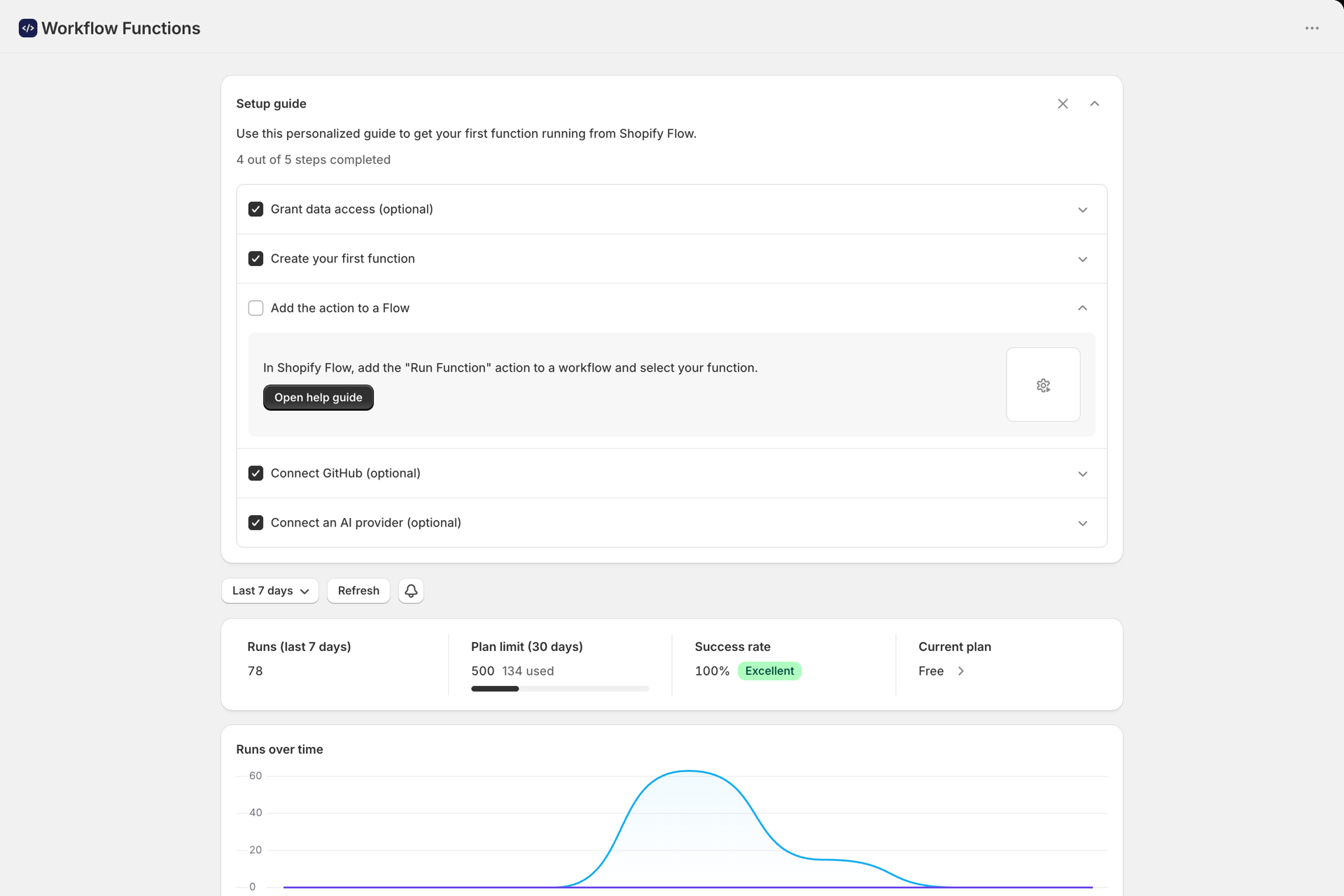
| Dashboard | Setup guide, runs, plan usage, top functions and recent failures |
| Functions | Create, edit, test, duplicate and delete functions |
| Templates | 85 verified templates, by category and by how they run |
| Permissions | Grant or revoke the store data your functions may read and write |
| Secrets | Encrypted values you read in code as secrets.NAME |
| Storage | What your functions keep with ctx.storage, and files |
| History | Every run with status, input, output, logs and errors |
| Developer | API keys, the MCP server for AI agents, AI providers and GitHub |
| Help | Support, documentation links and plans |
Every page ends with a link to its guide here.
Plans
| Plan | Price | Runs (rolling 30 days) | Storage |
|---|---|---|---|
| Free | $0 | 500 | 5 MB, 500 keys |
| Grow | $35 / month | 15,000 | 250 MB, 25,000 keys |
| Unlimited | $100 / month | Unlimited | 1 GB, 100,000 keys |
Every plan includes all features and unlimited functions. Runs from Flow and scheduled runs count toward the plan; test runs in the editor and runs through the API do not. Over your allowance, you can keep going with Extra runs (pay as you go).
Next steps
- How to create a function - write, test and save your first function.
- Set up the Run Function action in Shopify Flow - connect a function to a workflow.
- Connect your ERP or warehouse system - call functions from your ERP or warehouse system.
- Using templates - start from a ready-made function.