
Run history and troubleshooting
Read the History page, understand run statuses and triggers, and fix the most common reasons a function fails in Shopify Flow.
Every time a function runs - from Flow, from a test, or from the API - it is recorded in History. This page is the first place to look when a workflow behaves unexpectedly.
The History page
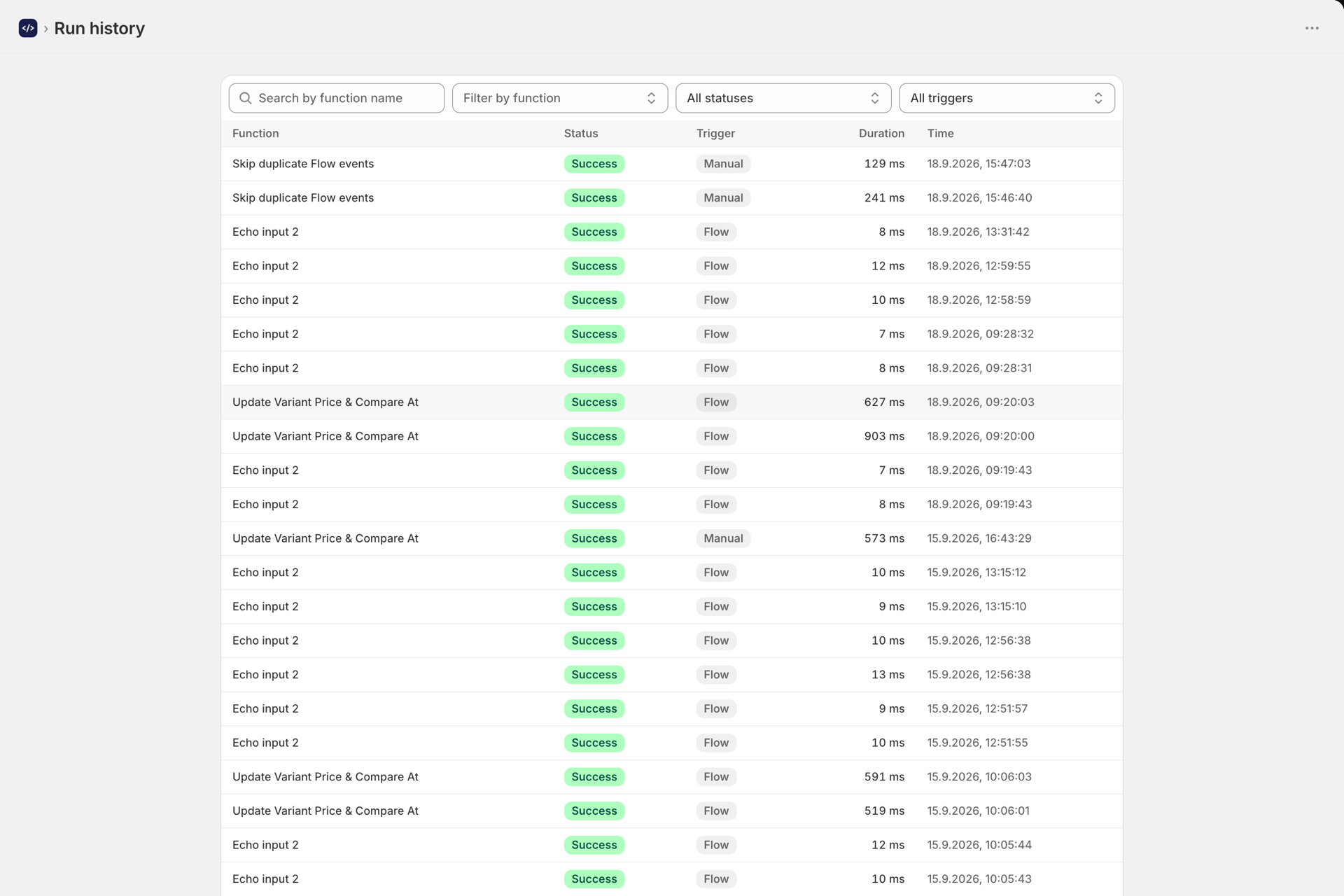
Open History in the app navigation. Each row is one run, with its function, status, trigger, and time. You can filter by:
- Function - one or more functions.
- Status - Success, Failed, Timeout.
- Trigger - Flow, Manual, or API.
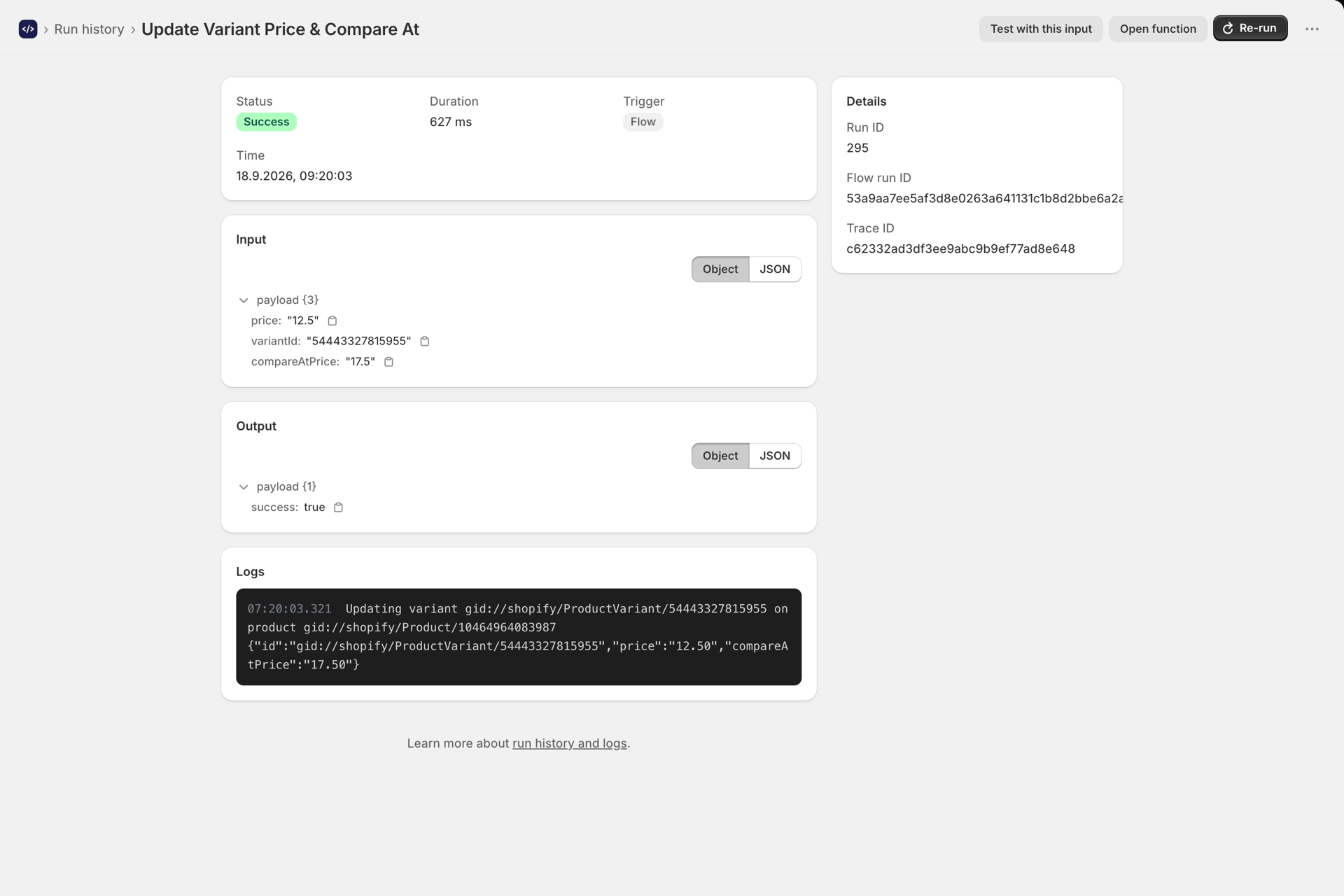
Open any run to see the full detail: the exact input it received, the output it returned, the logs (ctx.log(...) lines with timestamps), the duration, and an error message if it failed.
Statuses
| Status | Meaning |
|---|---|
| Success | The function returned without throwing. Its output went back to Flow. |
| Failed | The code threw an error, or returned an error to Flow. The message is on the run detail. |
| Timeout | The run exceeded the function's timeout (Settings tab). Usually a slow external call or an endless loop. |
Triggers
| Trigger | Where it came from | Counts against quota? |
|---|---|---|
| Flow | The Run Function action in a Shopify Flow workflow | Yes |
| Manual | The Test button in the editor | No |
| API | The REST API or MCP | No |
Only Flow runs count against your monthly plan quota. See Developer API and MCP.
The first thing to check: what input arrived
Most "it works when I test but not in Flow" problems are input problems. Open the failing Flow run and look at the recorded input.
If it is empty ({}) but you expected fields, the Input (JSON) field on the Flow action is producing invalid JSON - almost always an unquoted Liquid variable. Full detail in Passing variables into your function.
Common errors and fixes
Pick the error you are seeing to expand its cause and fix.
Input is {} (empty) in history
The action's Input (JSON) is invalid, so your function received an empty object. Quote your Liquid variables. See Passing variables into your function.
Function must export a default async function
Your code has no export default. Add:
export default async function (input, ctx) {
  // ...
}
Compile error
A syntax error in your code. The message points at the line.
TIMEOUT
Usually a slow external API or an endless loop. Raise the timeout on the Settings tab, or make the call faster.
Access-denied error from ctx.shopify.graphql
The query needs a permission you have not granted. See Permissions and store data access.
A function is disabled
Enabled is off on the Settings tab, or a permission the function needs was revoked (grant it again on Permissions to re-enable).
No function configured for this action
The Flow action has no function selected. Open it and pick one.
Plan limit reached (429)
You have used your rolling 30-day quota. Upgrade your plan to keep running.
This account has been suspended
Contact support.
Retries do not double up
If Flow retries the same action execution, the run is recognised as a duplicate and the earlier successful result is returned instead of running your code again. So a retry does not repeat side effects (like creating a discount twice) and does not consume a second quota slot. See Set up the Run Function action in Shopify Flow.
Alerts
Workflow Functions can email you when usage reaches 80% or 100% of your plan, or when your failure rate climbs. Open the bell on the first dashboard stat card to set thresholds and recipients.
Next steps
- Passing variables into your function - the most common source of failures.
- Permissions and store data access - fix access-denied errors.
- Set up the Run Function action in Shopify Flow - the Flow action itself.