
Connect your ERP or warehouse system
Call functions from your ERP with one HTTPS request: stock, prices, products, orders and shipments by SKU, with dry runs and batches.
Workflow Functions connects your ERP, warehouse system or any other backend to Shopify without a second app. Your system calls a function with one HTTPS request and gets the result back in the response. Systems that cannot call out are covered by scheduled functions that fetch from them.
How it works
- Create a function, usually from one of the 28 verified ERP templates: stock by SKU (set, adjust, read, transfer), locations, products and prices, unit cost and customs data, orders as sales-order documents, marking orders exported or paid, cancelling, and shipments - complete, partial by SKU, tracking numbers, holds, shipping from another location.
- Grant the permissions it needs: Inventory, Locations, Orders, Fulfillment or Products. See Permissions and store data access.
- Create an API key with Read & write access on the Developer page. See Developer API and MCP.
- Your system calls the function.
Calling a function
The Run it tab of every function shows its endpoint and a ready curl call:
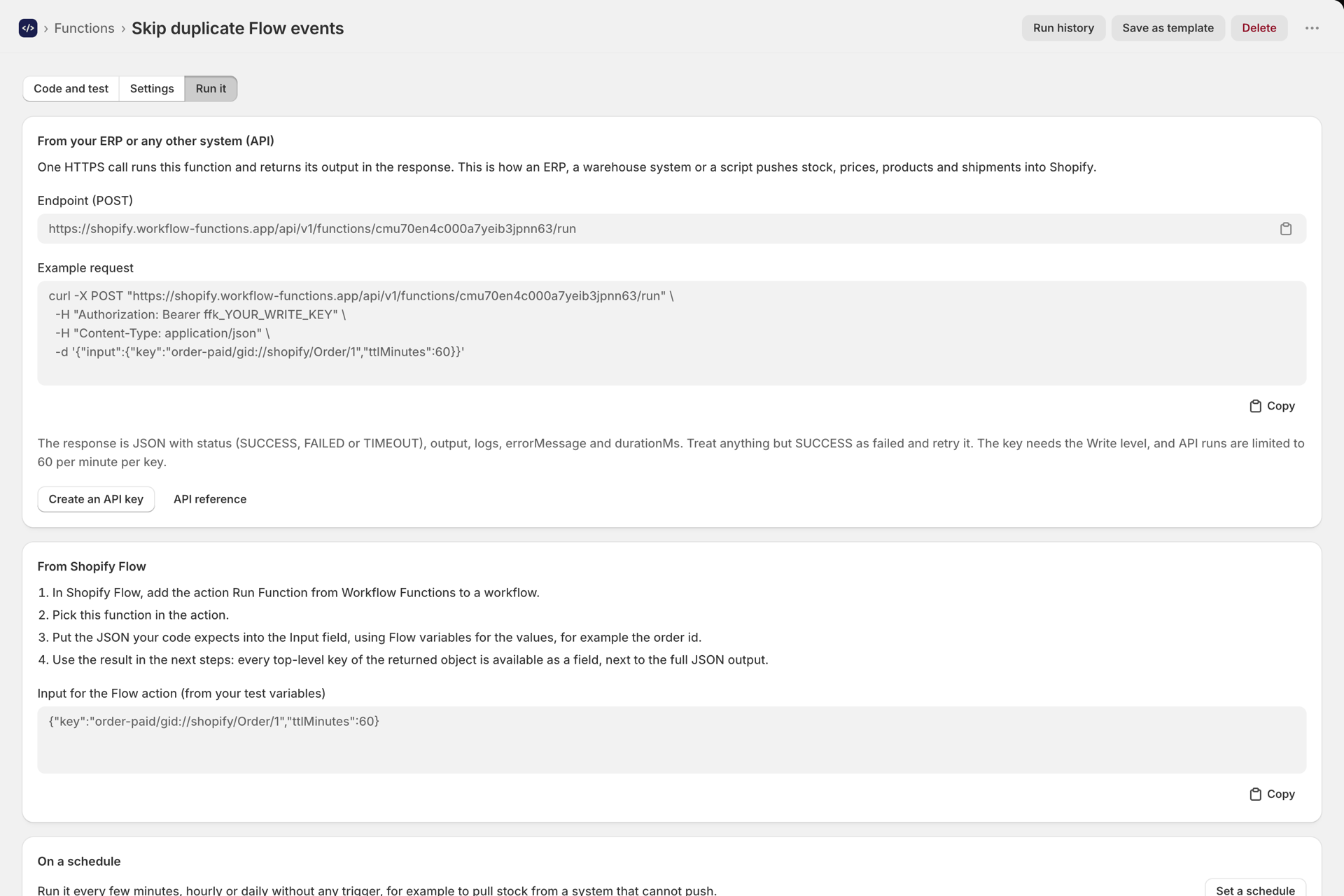
curl -X POST "https://shopify.workflow-functions.app/api/v1/functions/<function id>/run" \
  -H "Authorization: Bearer ffk_YOUR_WRITE_KEY" \
  -H "Content-Type: application/json" \
  -d '{"input":{"location":"Warehouse","items":[{"sku":"NS-TOTE-NAT","quantity":40}],"dryRun":true}}'
The response is JSON with status (SUCCESS, FAILED or TIMEOUT), output, logs, errorMessage and durationMs. Treat anything but SUCCESS as failed and retry. API runs do not count toward your plan and are limited to 60 per minute per key, in bursts.
Batches, not one call per item
A run has 5 seconds. The templates are built for that: one call resolves up to 250 SKUs and writes them in one Shopify mutation. Send your stock or price changes in batches of up to 250 lines instead of one request per SKU.
Try it safely first
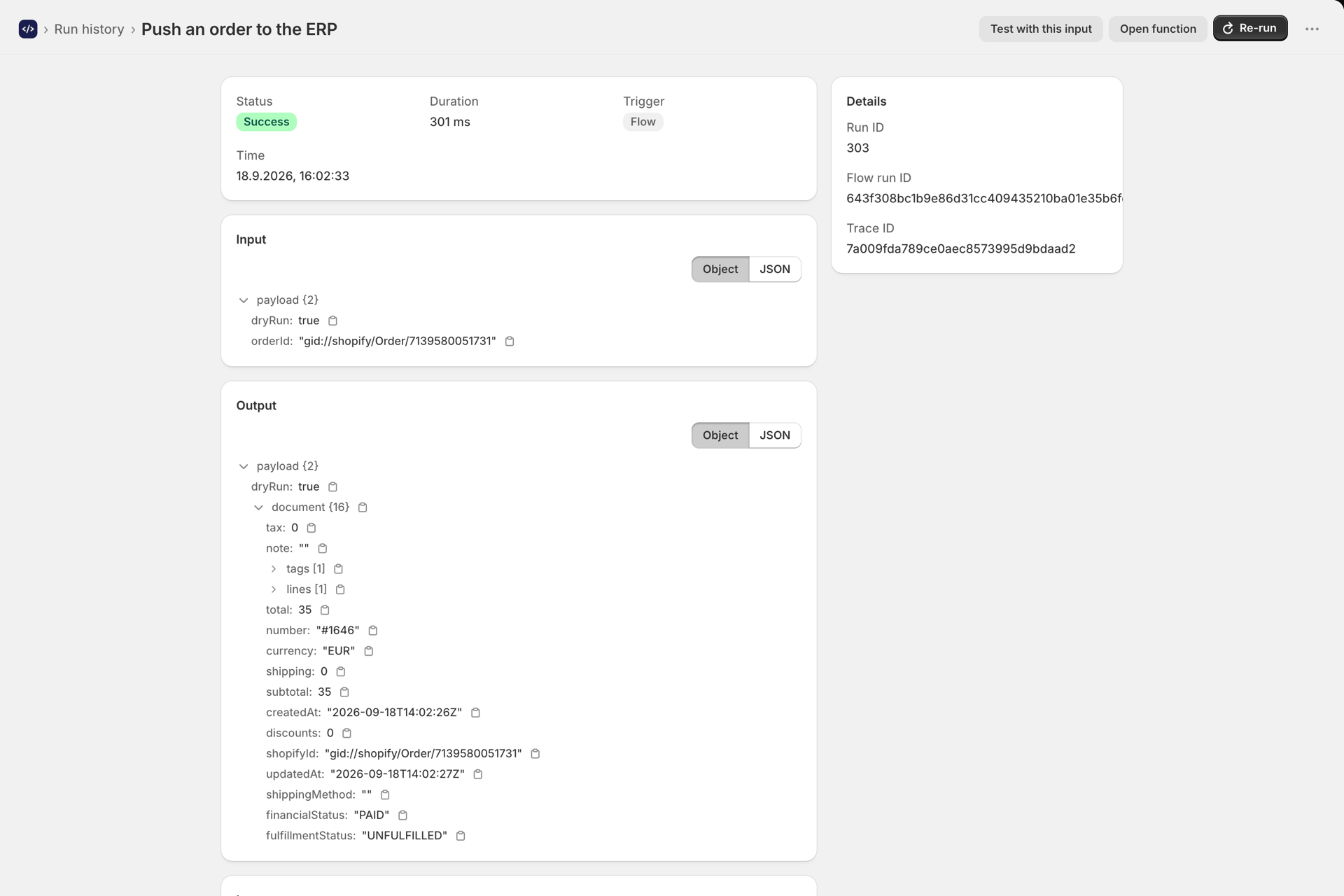
Every template that writes has a dryRun switch: with "dryRun": true it does all the lookups and returns what it would change, without changing anything. The template's sample input starts with it on.
Here, a Flow workflow ran Push new orders to your ERP with dryRun on for a new order - the output is the sales-order document that would go to the ERP:
Orders to the ERP
Two ways to get orders out:
- Push - the Push new orders to your ERP template runs from Flow on Order created (or Order paid), sends the order to your ERP's URL (stored as secrets
ERP_ORDERS_URLandERP_API_KEY), tags iterp-exportedand stores the ERP's order number on it. A retry of an exported order does nothing. The Flow setup is shown step by step in Set up the Run Function action in Shopify Flow. - Pull - your ERP calls Let your ERP pull new orders on its own schedule and marks them exported afterwards.
Systems that cannot call out
For an ERP that only offers an API to be called, or exchanges files, use a scheduled function: Pull stock from your ERP on a schedule fetches a stock list with ctx.fetch every few minutes and writes it to Shopify. The schedule's input comes from the function's saved variables, so the location and other settings need no code change. See Run a function on a schedule and, to remember where the last sync stopped, Storage for your functions.
Good to know
- Order documents carry totals and lines by SKU, but no customer address: the app does not request access to customer personal data.
- Orders older than 60 days need Shopify's read all orders access, which the app does not request.
- Fulfillment covers the locations your store manages itself, not third-party fulfillment services.
- API runs do not count toward your plan.
Next steps
- Using templates - all ERP templates in the gallery.
- Developer API and MCP - keys, endpoints and rate limits.
- Storage for your functions - keep a sync position between runs.