
Run a function on a schedule
Run a function automatically on a cron schedule - every few minutes, hourly, or daily - without a Shopify Flow trigger.
A function can run automatically on a schedule, without a Shopify Flow trigger - handy for periodic exports, syncs, clean-ups, or health checks. Combine it with Write with AI to build, say, "every 5 minutes, export new orders to my endpoint".
Turn it on
- Open the function and go to the Settings tab.
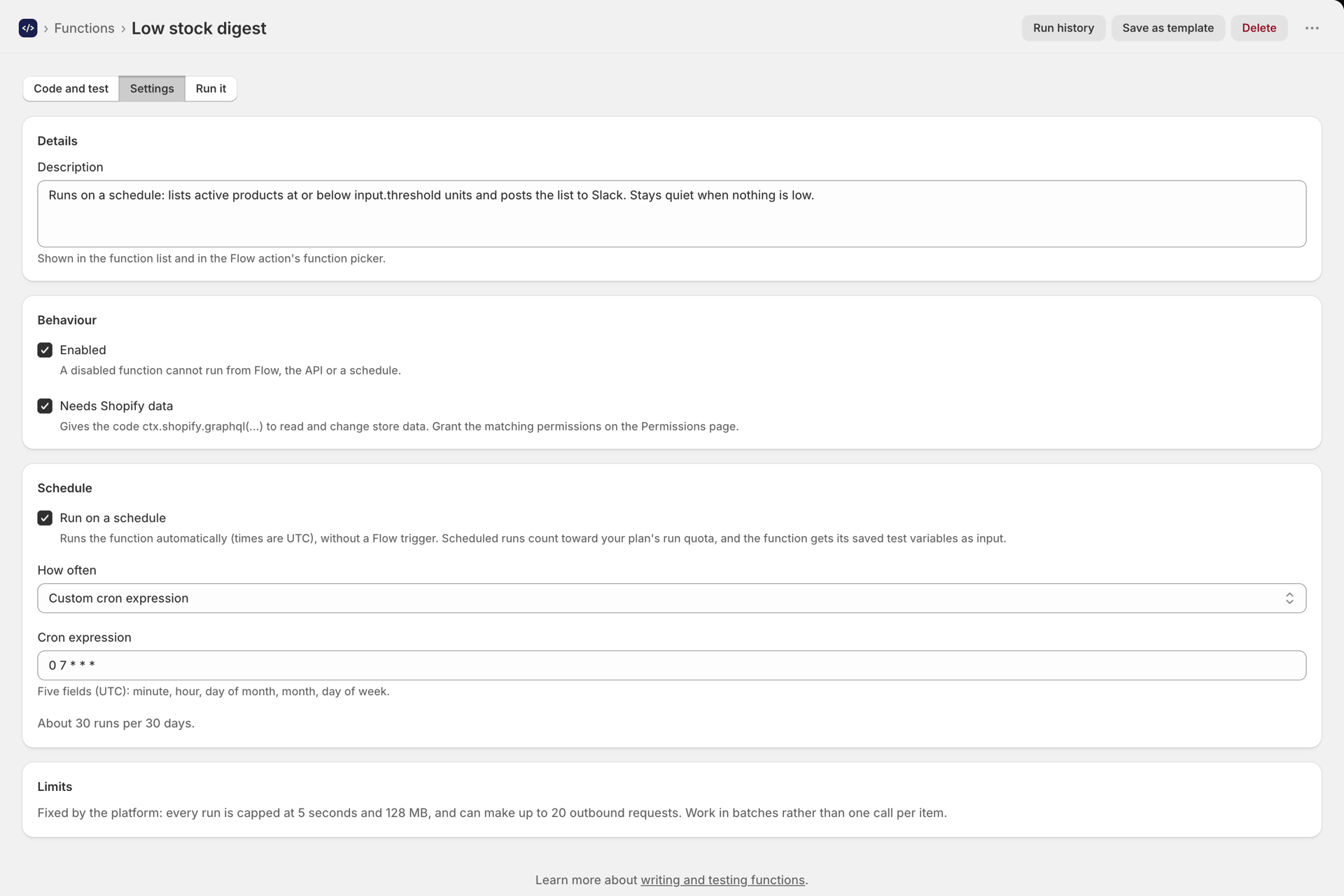
- Switch on Run on a schedule.
- Pick a preset (every 5 minutes, hourly, daily at 09:00, weekdays, and so on) or choose Custom cron expression and write your own.
- Save. From then on, the function runs on that schedule.
Custom cron expressions
A custom schedule is a standard 5-field crontab: minute hour day-of-month month day-of-week.
| Example | Runs |
|---|---|
*/5 * * * * |
Every 5 minutes |
0 * * * * |
Every hour, on the hour |
0 9 * * * |
Every day at 09:00 UTC |
0 9 * * 1-5 |
Weekdays at 09:00 UTC |
30 2 1 * * |
02:30 UTC on the 1st of each month |
The editor shows how many runs a schedule works out to over 30 days, and warns you if that is more than your plan allows.
What the function receives
A scheduled run calls your function with an empty input ({}) - there is no Flow action supplying data. Use ctx.shopify.graphql(...) to read what you need, ctx.fetch(...) for outbound HTTP, and secrets.NAME for credentials, exactly as in a Flow run. Scheduled runs appear in Run history and troubleshooting with the trigger Scheduled.