
Generate functions with AI
Connect your Anthropic, OpenAI, Google Gemini or OpenRouter key and describe a function in plain English - Write with AI drafts or changes the code for you.
Describe what you want in plain English and let AI write the function. It uses your own AI provider key and is grounded in the Shopify Admin API and this app's runtime, so the code it produces fits straight into a function.
Connect a provider
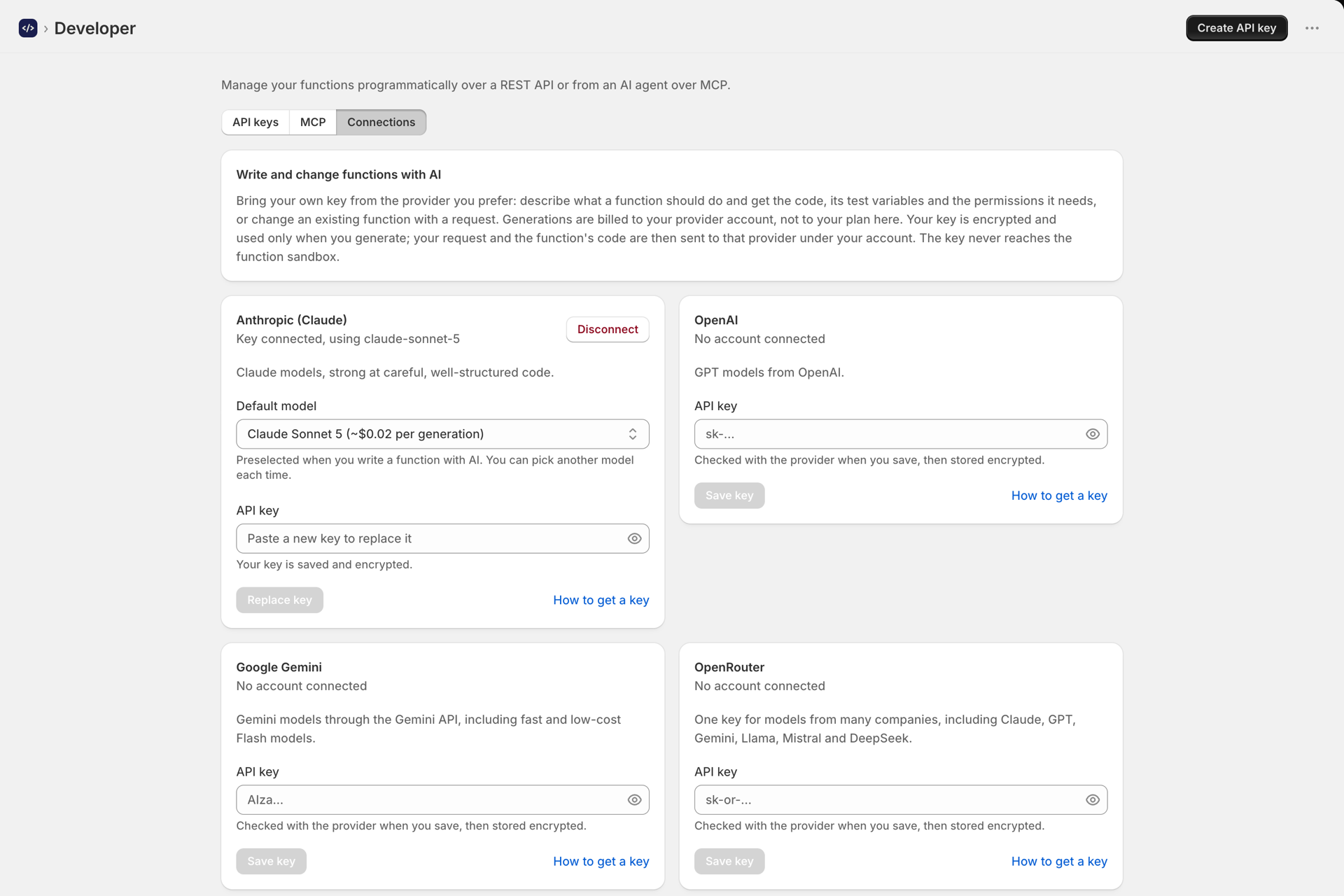
On Developer -> Connections, add your API key for Anthropic (Claude), OpenAI, Google Gemini or OpenRouter (one key for models from many companies):
- Your key is encrypted at rest and used only for generation. It is never injected into your functions (unlike Secrets) and never shown again after you save it.
- The key is checked with the provider when you save it, and the model list is the provider's own list for your key.
- Each card links to a short guide: How to get an Anthropic (Claude) API key, How to get an OpenAI API key, How to get a Google Gemini API key or How to get an OpenRouter API key.
Connect one or several and pick the provider and model per generation. Each card has a default model.
Generate a function
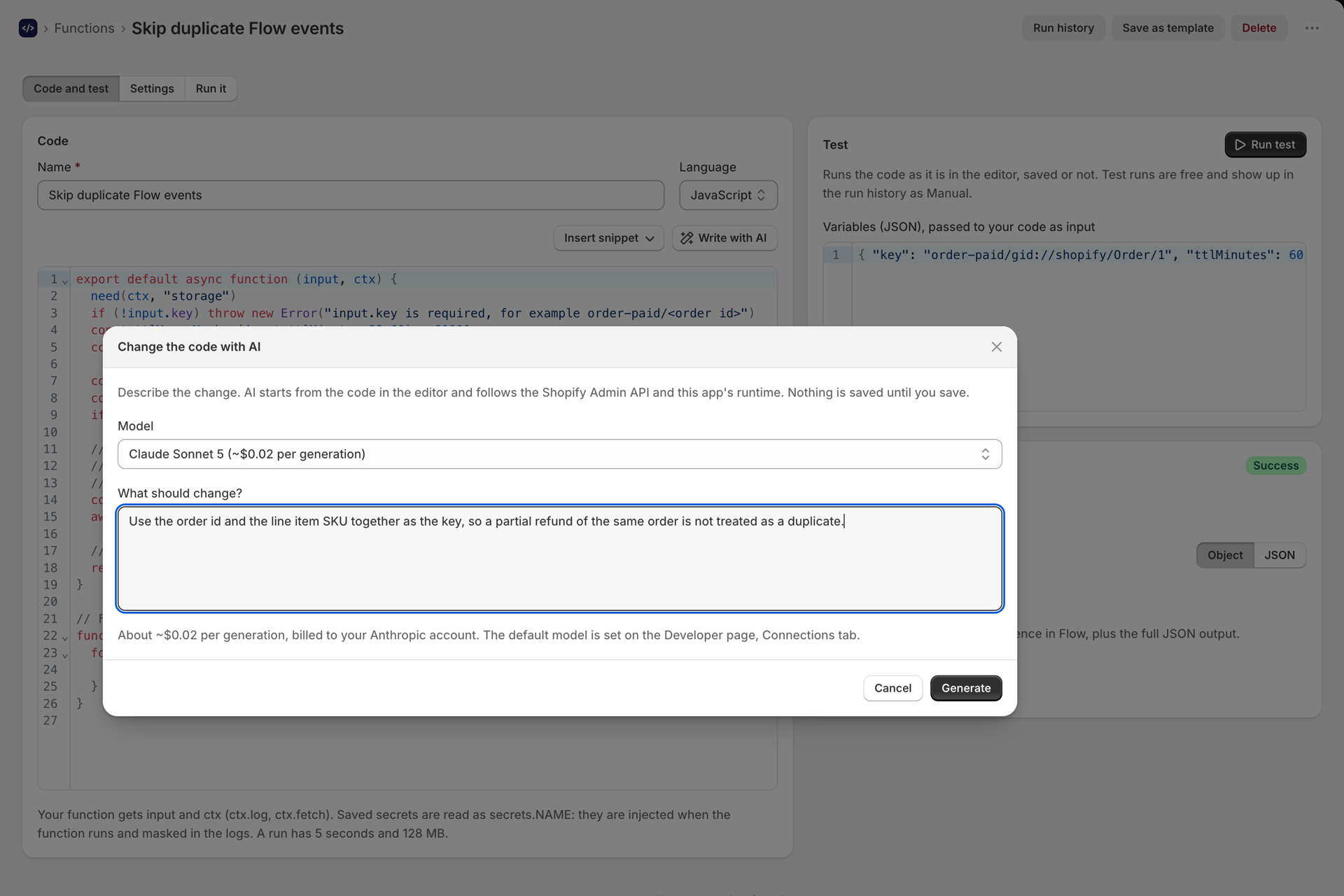
- Open a function and select Write with AI above the code.
- Describe the function - be specific about the input and the outcome, for example:
When an order is tagged
wholesale, add the tagB2Bto that order's customer. - Pick a model (the list shows every connected provider with an estimated cost per generation), then select Generate.
- The generated code loads into the editor. Review it, test it, then Save. AI can make mistakes - always run a test before you rely on it. If there's already code, it edits that instead of starting over.
Start a whole function with AI
You don't have to begin from a blank function. With a provider connected, selecting Create function opens a prompt - describe what the function should do and AI drafts the name, code, sample variables, the permissions it needs, and a schedule if you asked for something recurring. It opens as an unsaved draft, so review and test it, then Save (just like duplicating). Choose Start blank to skip it.
Permissions and schedule, set for you
AI fills in the setup a generated function needs:
- Permissions. If the code reads or changes store data, a This function needs permissions banner appears with the exact scopes and a one-click Grant - no separate trip to the Permissions page. See Permissions and store data access.
- Schedule. If your prompt implies a cadence (for example "every 6 hours"), Run on a schedule is turned on for you on the Settings tab. See Run a function on a schedule.
Choosing a model and cost
The Write with AI dialog lets you pick a model. Each option shows an estimated cost per generation, and the box shows the per-million-token price for the selected model. Cost is billed to your own provider account, not your Workflow Functions plan - a single generation is typically a couple of cents or less. Models and prices change over time; the latest are on each provider's site, linked under each table.
Anthropic (Claude)
| Model | Best for | Price (input / output per M tokens) |
|---|---|---|
| Claude Sonnet 5 | Balanced speed and intelligence (default) | $2 / $10 |
| Claude Opus 5 | Complex, agentic work | $5 / $25 |
| Claude Fable 5 | Next-generation, long-running agents | $10 / $50 |
| Claude Haiku 4.5 | Fastest and cheapest | $1 / $5 |
Latest Anthropic models and pricing: platform.claude.com/docs/en/models/overview
OpenAI
| Model | Best for | Price (input / output per M tokens) |
|---|---|---|
| GPT-5.6 Terra | Balanced (default) | $2 / $12 |
| GPT-5.6 Sol | Frontier, complex work | $4 / $20 |
| GPT-5.6 Luna | Cost-sensitive | $0.20 / $1.20 |
Latest OpenAI models and pricing: developers.openai.com/api/docs/models
What it knows
The generator is told this app's runtime contract, so it uses the right shapes:
export default async function (input, ctx)withctx.log,ctx.fetch, andctx.shopify.graphql(query, variables)for the Admin API (current version), andsecrets.NAMEfor stored secrets.- To read or modify store data, the function needs Needs Shopify data turned on and the matching permission granted - see Permissions and store data access.